Member Page
The member page can be accessed by selecting your name from the list, or by scanning in your RFID badge.
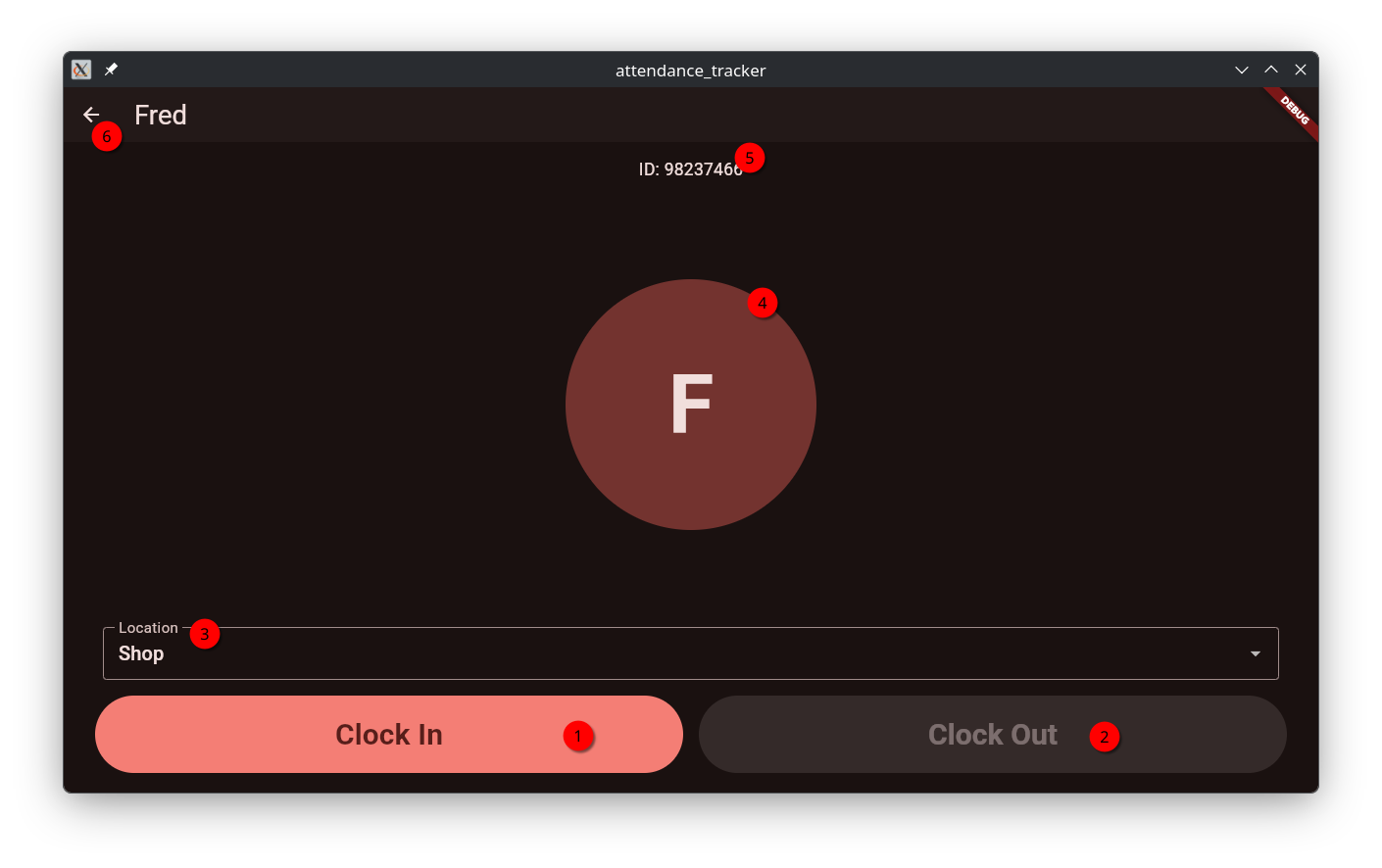
UI Elements
1. Clock In Button
The clock in button will clock the member in. The timestamp and selected location will be recorded in the activity log.
2. Clock Out Button
The clock out button will clock out the member. The timestamp only will be recorded in the activity log.
3. Location Selection
The location selector will select the location to clock in to. It will not be visible if the member is currently clocked in. The locations can be configured in the app’s configuration.
4. Member Profile Image
The profile image currently only displays the member’s initials. Image support may be added in the future.
5. Member ID
The member ID is the unique identifier used in the sheet. The RFID tag’s UID must match this for it to work.
6. Back Button
Return to the home screen.